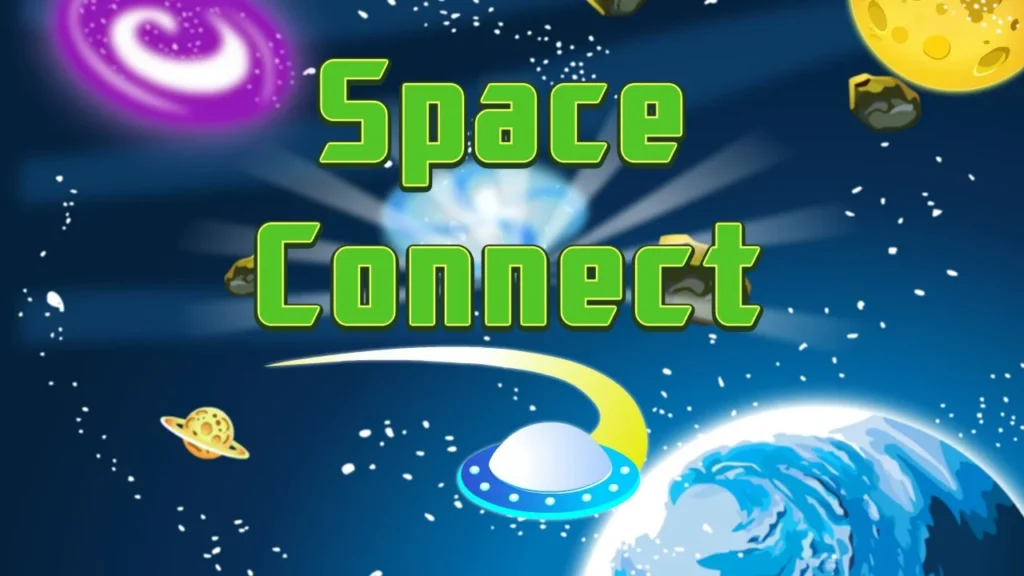




















Space Connect
Introduction to Space Connect
Launch into the cosmos and take on a high-tech galactic matching challenge! Welcome to Space Connect, a captivating outer space twist on classic Mahjong Connect (also known as Nikakudori or Onet) where your goal is to pair up matching starships across a interstellar board. Set against deep-space backdrops, this puzzle game invites you to link identical spaceships, probes, and satellites using clear vector paths. Featured in our handpicked collection of free online puzzle games, it plays seamlessly in your web browser across desktop PCs, smartphones, and school Chromebooks with zero downloads or installations required.
Your objective in Space Connect is to clear the board before time runs out by linking pairs of matching space vessels. Keep a close eye on open board perimeters and plan your pathways carefully so your trajectory bends no more than twice!
Gameplay Mechanics & Pathing Rules
The core design of Space Connect blends classic Mahjong matching strategy with spatial pathfinding rules, capturing the smooth and satisfying flow found in top hypercasual games. Essential rules include:
- Two-Turn Rule (2 Bends Max): You can only connect two identical spaceship tiles if the connecting path between them makes no more than two 90-degree turns (3 straight segments maximum).
- Clear Path Rules: Two matching tiles can only be connected if the path between them is unobstructed. The connecting line may pass through empty spaces or travel around the outer edge of the board, but it cannot cross any other tiles.
- Adjacent Pairs: Identical spaceships sitting directly next to each other horizontally or vertically can always be paired and launched immediately.
- Countdown Timer: Every level features a running timer that rewards fast visual recognition and rapid pairing with higher star ratings and score bonuses.
- Shuffle & Hint Supports: If you find yourself stuck without valid path options, activate hint or shuffle power-ups to reveal matches or rearrange the remaining ships.
Key Game Features
- Futuristic Sci-Fi Visuals: Vibrant starship icons, glowing laser connection trails, and deep-space galactic backgrounds.
- Progressive Galaxy Stages: Venture through multiple levels that shift in board size, tile density, and layout complexity as you advance.
- Smooth Touch & Click Controls: Designed for effortless navigation, allowing quick selections whether playing on mobile screens or desktop browsers.
- Lightweight HTML5 Engine: Rapid load times and silky-smooth performance across desktop computers, tablets, and school Chromebooks.
Controls / How to Play
Navigating your fleet in Space Connect is direct, effortless, and intuitive, echoing the crisp feel of classic arcade games:
- CLICK / TAP TO SELECT: Click or tap a spaceship tile to highlight it, then click an identical ship to form a laser path and launch them into deep space.
- HINT BUTTON: Tap the hint icon in the side panel if you are struggling to spot a valid two-turn connection path.
- SHUFFLE BUTTON: Activate the shuffle tool when you run out of moves to mix up remaining starships on the board without losing your progress.
Pro Strategies for Deep-Space Matching
Clearing random pairs in the center of the board early can leave outer tiles stranded without open path lines. Apply these expert strategies to keep your trajectories clear:
- Clear the Outer Perimeter First: Target matches along the outer edges of the board early. Clearing the perimeter creates open highways for laser lines to wrap around inner tiles later.
- Match Adjacent Neighbors Immediately: Look for identical spaceships sitting side-by-side or stacked on top of each other. These take zero bends to connect and immediately open up adjacent spaces.
- Look for “U-Shape” & “Z-Shape” Lines: Get used to spotting paths that form U-shapes around outer borders or Z-shapes through empty channels inside the grid.
- Manage the Countdown Timer: Don’t panic as the timer ticks down. Focus on making quick, obvious matches to build momentum and earn extra time bonuses.
To learn more about the history, mechanics, and variations of connection puzzles, check out Wikipedia’s official Shisen-sho history page.
Explore More Free Web Games
Once you have launched every starship, cleared the galaxy grid, and mastered Space Connect, keep your mind sharp with our wide collection of free game categories:
- Puzzle Games – Test your logic with traditional solitaires, sliding block challenges, and spatial sorting games.
- Hypercasual Games – Enjoy fast, responsive one-touch titles built for quick play sessions and instant satisfaction.
- Arcade Games – Step up the tempo with retro token setups, popping ball arenas, and precision timing challenges.
- Racing Games – Master high-speed vehicles, drifting through challenging tracks where speed and timing determine victory.
Conclusion
The free web edition of Space Connect delivers an out-of-this-world Mahjong Connect experience for puzzle enthusiasts. By clearing perimeter lines, tracking valid two-turn paths, and making quick pairs, you can clear every galactic stage with ease. Align your starships, launch your fleet, and conquer the cosmos! Open your web browser, tap your first pair, and play Space Connect today!
Frequently Asked Questions (FAQ)
Is Space Connect completely free to play online?
Yes, absolutely! Space Connect is 100% free to play directly inside your web browser with zero hidden fees, app downloads, or account registrations required.
What is the maximum number of turns a connection path can make in Space Connect?
A valid connection line can make at most two 90-degree turns (or three straight line segments) through empty spaces or around the board perimeter.
What happens when there are no valid moves left on the board?
If no valid path connections remain on the grid, you can use the built-in shuffle feature to rearrange the remaining spaceship tiles and create new paths.
Can I play Space Connect on a school Chromebook or mobile phone?
Yes, you can! Built using lightweight HTML5 technology, the game loads fast and runs smoothly across desktop web browsers, school Chromebooks, smartphones, and tablets.