


























Tetro Classic

Introduction to Tetro Classic
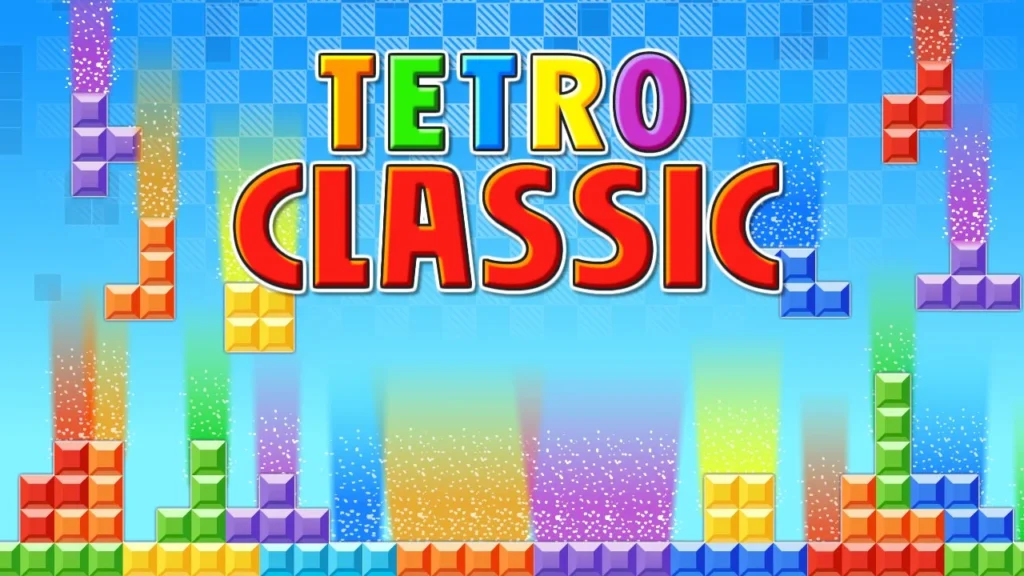
Prepare for the ultimate test of spatial awareness, lightning reflexes, and timeless puzzle strategy! Welcome to Tetro Classic, a sleek and responsive HTML5 adaptation of the legendary block-stacking arcade masterpiece. Designed to deliver authentic retro gameplay with modern web performance, this tile-matching challenge tasks you with organizing falling geometric shapes under real-time gravity pressure. Featured in our handpicked collection of free online puzzle games, it runs smoothly in your browser across desktop PCs, mobile phones, or school Chromebooks with zero downloads or installations required.
Your goal in Tetro Classic is to prevent the playing field from filling up to the top matrix boundary. Rotate, maneuver, and drop seven distinct four-block configurations (tetrominoes) into solid, gap-free horizontal lines. Completing a full horizontal line causes it to vanish instantly, awarding points and opening up vital grid space. Clear multiple lines simultaneously to rack up massive scores before the fall speed accelerates!
Gameplay Mechanics & Stacking Rules
The core design of Tetro Classic balances simple rules with limitless strategic depth, capturing the addictive, rhythm-driven loops found in classic hypercasual games. Master these essential mechanics to survive high-speed drops:
- Seven Standard Tetromino Shapes: Command the complete set of standard piece geometries—the I-bar, O-square, T-shape, L-block, J-block, S-curve, and Z-curve.
- Horizontal Line Clearance: Whenever an entire horizontal row across the grid is completely filled without empty spaces, it vanishes immediately, dropping all blocks above it down by one row.
- Progressive Gravity Acceleration: As you clear more lines and level up, the falling speed of incoming blocks increases, demanding faster decision-making and tighter execution.
- Matrix Overflow Game Over: If block stacks reach the very top of the playing grid and block new pieces from spawning, the round ends.
Key Game Features
- Authentic Retro Arcade Feel: Faithful piece rotations, grid dimensions, and line-scoring ratios preserve the classic puzzle experience.
- On-Screen Touch Controls: Features crisp, responsive mobile control overlays alongside keyboard input for smooth play across all devices.
- Next-Piece Preview Window: View upcoming tetrominoes in advance to plan piece placements and prepare four-line clears.
- Lightweight HTML5 Engine: Loads instantly with smooth 60fps frame rates across desktop browsers, school Chromebooks, and mobile screens.
Controls / How to Play
Controlling piece rotation and placement in Tetro Classic is direct, intuitive, and highly responsive, echoing the crisp feel of vintage arcade games:
- LEFT / RIGHT ARROWS (or On-Screen Buttons): Move the active falling block left or right across grid columns.
- UP ARROW (or Rotate Button): Rotate the falling piece 90 degrees clockwise to fit into tight matrix gaps.
- DOWN ARROW (or Soft Drop Button): Accelerate the piece’s downward drop speed for faster placement.
- SPACEBAR (or Hard Drop Button): Instantly slam the active piece straight down to the lowest valid position on the grid.
Pro Strategies for High Score Domination
Dropping pieces haphazardly without creating a flat surface creates dangerous empty pockets beneath your stack. Apply these expert techniques to stay ahead of the game’s accelerating speed:
- Maintain a Flat Board Surface: Keep the top edge of your stack as level as possible. Avoid building tall vertical peaks or deep single-column wells until you are ready for a multi-line clear.
- Build a Four-Line “Tetris” Well: Stack your blocks cleanly across nine columns while leaving one edge column open. When the long straight I-bar piece appears, drop it straight down the open well to trigger a 4-line clear for maximum score bonuses.
- Constantly Eye the Next-Piece Preview: Don’t just look at the piece currently falling. Glance at the upcoming preview piece to decide where your current piece should land before it hits the stack.
- Avoid Over-Reliance on Hard Drops at High Speeds: As the game speed accelerates, stick to soft dropping pieces so you have time to make last-second rotations or slide pieces under overhangs.
To learn more about the deep mathematical origins, psychological flow states, and historic global impact of block-stacking games, explore Wikipedia’s official Tetris history page.
Explore More Free Web Games
Once you have built clean stacks, cleared four-line combos, and mastered Tetro Classic, keep your brain sharp with our wide collection of free game categories:
- Puzzle Games – Test your logic with classic solitaires, sliding block challenges, and spatial sorting games.
- Hypercasual Games – Enjoy fast, responsive one-touch titles built for quick play sessions and instant satisfaction.
- Arcade Games – Step up the tempo with retro token setups, popping ball arenas, and precision timing challenges.
- Racing Games – Master high-speed vehicles, drifting through challenging tracks where speed and timing determine victory.
Conclusion
The free web edition of Tetro Classic brings timeless block-stacking excitement straight to your web browser. By maintaining a flat matrix, managing your single-column wells, and anticipating upcoming pieces, you can survive high-speed levels and post legendary scores. Watch the horizontal lines vanish, clear the board, and set new personal bests. Open your web browser, drop your first block, and play Tetro Classic today!
Frequently Asked Questions (FAQ)
Is Tetro Classic completely free to play online?
Yes, absolutely! Tetro Classic is 100% free to play directly inside your web browser with zero hidden fees, app downloads, or account registrations required.
How do I clear lines in Tetro Classic?
Lines are cleared by filling every single square across a horizontal row on the grid. Once a row is 100% filled with blocks, it vanishes automatically and awards points.
Can I play Tetro Classic on a mobile phone without a physical keyboard?
Yes! Tetro Classic includes dedicated on-screen touch control buttons designed specifically for seamless play on smartphones and tablets.
Can I play Tetro Classic on a school Chromebook?
Yes, you can! Built using lightweight HTML5 technology, the game loads fast and runs smoothly across desktop web browsers, school Chromebooks, smartphones, and tablets.