






















Coloring Book
Introduction to Coloring Book
Step into a world overflowing with vibrant imagination, bright hues, and endless artistic freedom! Introducing a fun, engaging, and completely free online Coloring Book game designed specifically for kids and creative young minds. This interactive digital canvas serves as a welcoming platform where toddlers, preschoolers, and kindergarteners can explore their artistic potential without any real-world mess. Seamlessly combining intuitive single-touch mechanics with rich visual feedback, it fits perfectly into our growing library of browser-native hypercasual games. Whether your little one is playing on a school Chromebook during a creative break or tapping away on a mobile screen at home, this game delivers hours of educational entertainment.
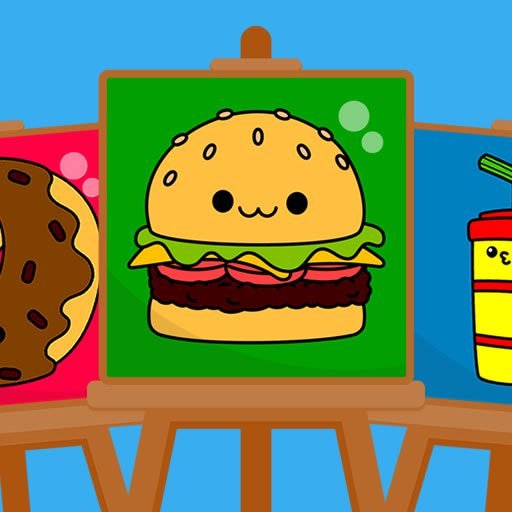
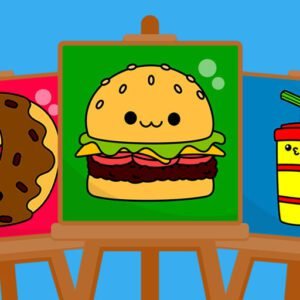
This digital art room comes fully equipped to provide a streamlined, simple, and highly enjoyable painting experience from the very first tap. The package features 15 cute pictures ranging from adorable animals to friendly characters, giving children the perfect starting templates to express themselves. Paired with a massive, eye-catching palette of 120 distinct colors, young artists can experiment with shading, color recognition, and spatial coordination. Designed with a clean, child-friendly user interface, it ensures that navigating menus is easy for tiny fingers while offering seamless controls for parents to preserve these milestones. It’s a perfect, stress-free way to spark creativity in young minds in the modern digital world!
Gameplay Features & Creative Painting Brushes
The core design of this interactive Coloring Book focuses heavily on simple usability, cognitive growth, and absolute freedom of choice. Just like the engaging mechanics that draw young players to accessible puzzle games, this painting app encourages decision-making and pattern recognition through a variety of versatile artistic tools:
- Three Interactive Brushes: Young artists can switch instantly between three high-utility tools to match their painting style. Use the precise pencil for fine outlining, the classic paintbrush for standard smooth strokes, and the convenient bucket fill tool to drop vibrant color into entire blank zones with a single click.
- A Massive 120-Color Palette: Move far beyond basic primary colors. This game features a vast, organized spectrum of 120 gorgeous shades, tints, and bright hues that help young children learn, identify, and categorize different color gradients naturally.
- Curated Gallery of 15 Cute Pictures: Avoid overwhelming choices. The game serves up 15 beautifully outlined, kid-friendly drawing templates tailored specifically to capture a child’s attention and keep them happily focused.
- Parent-Friendly Sharing & Saving: Never lose a digital masterpiece. The intuitive boundary layout makes it incredibly easy for parents to take a snapshot, save the finished canvas directly to their local device, or share their child’s vibrant creations with family and friends.
Key Game Features
- Child-Centric UI Design: The interface strips away complex menus and text-heavy buttons, relying on big, colorful icons that allow toddlers to operate the tools independently.
- Vast Spectrum of Firepower: With 120 colors at their immediate disposal, kids can mix, match, and reimagine the same picture in hundreds of unique ways.
- Fine Motor Skill Development: Swiping and tapping to color inside the lines serves as an excellent digital exercise for early hand-eye coordination and mouse control.
- Zero Friction & Instant Resets: Made a mistake or want to start fresh? A quick tap of the clear button resets the canvas instantly, encouraging endless creative experimentation.
- Optimized HTML5 Browser Support: Runs flawlessly across all major web browsers. Enjoy unblocked, safe access on desktop computers, school tablets, and mobile devices with zero installation requirements.
Controls / How to Play
The command interface in this online Coloring Book is completely streamlined, matching the responsive simplicity found in classic browser-based arcade games:
- MOUSE MOVEMENT / SWIPE (Desktop & Mobile): Move your cursor or slide your finger across the color board to browse the massive palette and choose your favorite brush tools.
- LEFT MOUSE CLICK / TAP SCREEN: Select a color, pick a brush, or click inside an outlined section of the drawing to instantly apply your active paint color.
- DRAG & HOLD (Pencil / Paintbrush): Hold down the left mouse button or keep your finger on the screen to draw custom lines and paint fluid, sweeping freehand strokes across the page.
- SAVE BUTTON (Icon): Parents can click the prominent disk icon at the top of the interface to instantly download the current artwork as a high-quality image file.

Tips for Parents to Expand Creative Play
While letting children color freely is highly rewarding, you can easily turn this digital Coloring Book into a powerful, interactive learning sandbox by incorporating these simple parent-guided strategies:
- Practice Vocabulary and Color Naming: As your child taps through the massive 120-color palette, ask them to name the colors out loud. Differentiate between deep blues, bright sky blues, soft pinks, and dark purples to naturally build up their descriptive vocabulary.
- Encourage Creative Storytelling: Once a cute picture is completely filled with color, ask your child to tell you a short story about the scene. Asking questions like “Where is this happy puppy going?” helps connect visual art directly to language development.
- Introduce the Tools Progressively: If your child is very young, have them start with the bucket fill tool to experience the instant joy of filling shapes. As their motor skills grow, introduce the pencil and paintbrush to practice steady drawing motions.
- Create a Digital Art Gallery: Make use of the built-in save feature regularly! Downloading and saving their favorite creations over time lets you look back at their growing coordination, changing style preferences, and creative progression.
As highlighted in academic studies on childhood development and visual media on Wikipedia’s history of coloring books, the simple act of choosing colors and interacting with structured shapes plays an enduring role in cognitive development, spatial awareness, and early self-expression.
Discover More Relaxing & Fun Game Rooms
Once your child has successfully filled all 15 cute pictures, mixed unique color combos, and saved their favorite designs inside our Coloring Book, keep their cognitive engagement sharp by exploring our diverse gaming categories:
- Hypercasual Games – Perfect for short attention spans, featuring instantly playable, highly satisfying one-touch challenges that reward curiosity.
- Puzzle Games – Switch from artistic expression to analytical thinking with engaging shape matchers, simple mazes, and logical sorting challenges.
- Arcade Games – Introduce older kids to fast-paced target tapping, classic physics sliders, and vibrant high-score challenges.
- Racing Games – Grab the wheel and steer colorful cartoon carts down engaging obstacle paths where physics and movement rule the day.
Conclusion
This beautifully balanced digital Coloring Book simulator serves up an incredibly fulfilling blend of early childhood education and open-ended creative fun. By utilizing the bucket fill tool for quick success, testing freehand strokes with the paintbrush, and experimenting across 120 unique colors, kids can easily unlock their inner artist. Watch them choose their favorite pictures, create bright new color patterns, and proudly share their finished masterpieces with the whole family. Grab your mouse or tablet, select your very first canvas, and fill the digital world with color today!
Frequently Asked Questions (FAQ)
Does this coloring game cost money or require in-app purchases?
No, not at all. This digital coloring book is entirely free to play. All 15 cute picture templates, three interactive brushes, and the massive 120-color palette are fully unlocked right from the start.
What is the difference between the pencil, paintbrush, and bucket fill tools?
The bucket fill tool instantly colors an entire enclosed shape with one click, making it ideal for toddlers. The paintbrush draws thicker, fluid lines, while the pencil allows for fine freehand sketching and detailing.
Can I run this coloring game unblocked on a school Chromebook or tablet?
Yes, absolutely. The entire application is built using modern, lightweight HTML5 structures. It streams seamlessly inside any standard desktop or mobile web browser, passing cleanly through firewalls without requiring any file downloads.
Is there a limit to how many completed pictures I can save to my device?
There are no limits whatsoever. Parents can use the built-in save option to download high-quality images of their child’s artwork as many times as they like to build a personal digital art gallery.