























GTA Simulator

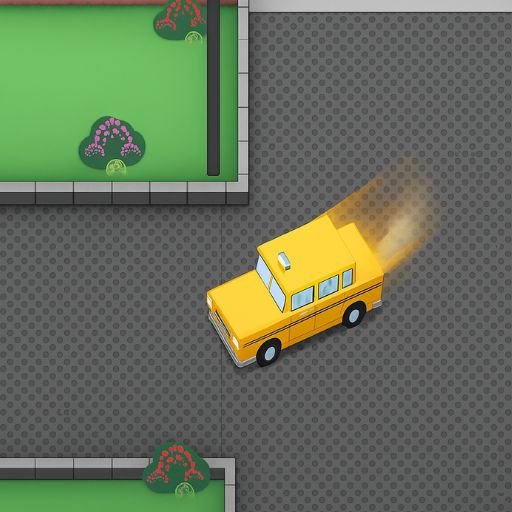
GTA Simulator is the online and free browser version of gaming’s most famous open-world series. Developed by FreezeNova, this action game lets you complete missions, defeat gangsters, and save the island directly in your web browser without any downloads required, bringing the excitement of the GTA experience to accessible online gameplay.
⚠ Warning: Mature Content
This game includes mature themes that may not be suitable for all players. It may contain strong language, violence, or other intense elements. If you prefer lighter games, we have plenty of free games available in other categories.
What is GTA Simulator?
You know that famous GTA video game series, right? Well, meet its online and free version. GTA Simulator is a simulation game that you can play on your web browser without the need to download. Just like in the original GTA game, you are given tasks to complete, earning rewards and diamonds as you fulfill these missions while defeating gangsters to save the island.
Unlike standard adventure games, GTA Simulator provides an open-world environment where you freely explore the island, commandeer vehicles, engage in combat, and progress through a story-driven campaign that captures the essence of the GTA franchise in an accessible browser format.
Complete Control Guide
Mastering GTA Simulator requires understanding both keyboard controls for desktop play and touch controls for mobile devices.
Desktop Keyboard Controls
- WASD Keys: Move character in four directions
- Arrow Keys: Alternative movement controls
- Left Shift: Sprint at high speed
- E Key: Punch or shoot depending on equipped weapon
- F Key: Enter and exit vehicles
- ESC Key: Open menu and access settings
Mobile Touch Controls
- Running Image: Tap to make character run fast
- Aiming Icon: Tap to punch and kick opponents
- Flying Kick Image: Tap to execute flying kick attack
- Fist Icon: Tap to change equipped weapons
- Grocery Cart Image: Access shopping menu
- Movement Controls: Virtual joystick for character navigation
How to Play GTA Simulator
The whole story starts with Jackson texting you, calling you to his side. This introduction launches your adventure in GTA Simulator’s campaign mode.
Story Introduction and Setup
- Initial Contact: Jackson discovers you are a skilled shooter
- Mission Assignment: He will give you various missions throughout the game
- Story Context: The mayor wants to sell the island for nothing
- Your Role: Someone must stop this corrupt deal
- Opposition Groups: Other parties oppose the agreement through violence
- Your Purpose: Navigate between factions and complete objectives
Finding Jackson
You find Jackson’s location on the small map and go to him. He found out that you are a shooter and will give you some missions. The mayor wants to sell the island they live on and for nothing. Someone has to stop this. Other parties are not in favor of the agreement either. They just kill. This is where you are needed.
Essential Gameplay Systems
According to Wikipedia’s Grand Theft Auto article, the GTA series revolutionized gaming through open-world freedom, mission-based progression, and vehicle mechanics – core elements that GTA Simulator successfully adapts for browser-based play while maintaining the franchise’s signature gameplay loop.
Weapons and Equipment System
You will need a lot of guns and bullets in this game. Get yourself a gun and bullets by clicking on the grocery cart icon in the upper right corner of the screen:
- Shopping Interface: Access weapons store through grocery cart icon
- Gun Selection: Purchase various firearms for different situations
- Ammunition Management: Buy bullets to keep weapons operational
- Weapon Switching: Change between equipped weapons during gameplay
- Strategic Purchasing: Balance spending between weapons and upgrades
Mission Communication System
Throughout the game, Jackson will communicate with you and give you tasks:
- Text Messages: On-screen notifications when Jackson contacts you
- Mission Briefings: Detailed explanations of objectives and goals
- Character Introductions: Meet Jackson’s acquaintances through story progression
- Continue Button: Click to advance through dialogue and instructions
- Mission Updates: Receive new objectives as story unfolds
Transportation and Vehicle System
You will need to cover the island from end to end, making transportation essential for efficient mission completion.
Vehicle Acquisition Methods
- Jackson’s Garage: Access friendly vehicles without conflict
- Commandeering: Take any vehicle you see on the road
- Driver Resistance: Car drivers carry guns and will defend themselves
- Combat Risk: Be prepared for fights when stealing vehicles
- Strategic Selection: Choose vehicles based on mission requirements
Vehicle Combat Warnings
But be careful; car drivers carry guns, and they can use it against you! This creates additional challenge when commandeering vehicles, requiring tactical approach to vehicle acquisition.
Navigation and Map System
The places you will go will be marked on the map with pink exclamation emoticons that guide you to mission objectives.
Map Navigation Features
- Pink Markers: Exclamation emoticons indicate mission locations
- Map Enlargement: Click map to zoom in for detailed view
- Custom Waypoints: Click destinations to place green markers
- Minimized Tracking: Follow green markers when map is minimized
- Strategic Planning: Use map to plan efficient routes across island
Navigation Tips
- Follow pink exclamation markers to reach objectives
- Enlarge map when unclear about mission locations
- Place custom markers for important destinations
- Use minimap for quick directional reference
- Plan routes considering vehicle availability
Character Progression and Leveling
As you complete tasks in the game, you will level up, and each level will bring you more power, creating meaningful progression throughout your campaign.
Experience and Rewards
- Task Completion: Earn experience by finishing missions
- Level Advancement: Progress through character levels
- Increased Power: Each level grants stat improvements
- Diamond Rewards: Earn premium currency through missions
- Skill Points: Unlock empowerment opportunities
Empowerment and Upgrade System
You can strengthen the game experiences, health, and stamina of your hero through a comprehensive upgrade system.
Accessing Power-Ups
Open the power-up screen by clicking on the bar at the top left of the screen, or press the human head image from the menu. You will see five different sections:
Five Empowerment Categories
- Health and Stamina: Increase maximum health and endurance capacity
- Defense Mechanisms: Improve damage resistance and protection
- Knife Combat: Enhance melee attack power and effectiveness
- Gun Proficiency: Strengthen firearm damage and accuracy
- Driving Skills: Upgrade vehicle handling and acceleration
Upgrade Strategy
- Level Requirements: Complete tasks to unlock upgrade rights
- Strategic Investment: Prioritize upgrades matching your playstyle
- Balanced Development: Improve all categories for versatility
- Mission-Specific: Upgrade skills needed for upcoming tasks
- Long-Term Planning: Consider end-game requirements
Combat System and Tactics
Defeating gangsters requires understanding GTA Simulator’s combat mechanics and tactical options.
Combat Fundamentals
- Melee Attacks: Use punches and kicks for close combat
- Flying Kicks: Execute special moves for powerful strikes
- Firearm Combat: Shoot enemies with various weapons
- Cover Usage: Use environment for protection
- Weapon Selection: Choose appropriate weapons for situations
Advanced Combat Strategies
- Upgrade gun proficiency for increased damage
- Purchase adequate ammunition before missions
- Use melee when conserving ammunition
- Combine vehicle combat with firearms
- Retreat and heal when health is critical
Game Developer and Platform
GTA Simulator was created by FreezeNova, a developer known for creating browser-based versions of popular gaming experiences. The game runs entirely in web browsers without requiring downloads or installations, making it accessible across multiple devices and platforms.
Technical Features
- Browser-Based: No download or installation required
- Cross-Platform: Works on desktop and mobile browsers
- Free to Play: Complete game accessible without payment
- Regular Updates: Ongoing development and improvements
- Optimized Performance: Smooth gameplay in browser environment
Why Play GTA Simulator
GTA Simulator provides the thrill of open-world action gaming without requiring expensive hardware or large downloads, making it perfect for players seeking accessible GTA-style experiences.
Key Advantages
- Instant Access: Play immediately in browser
- No Download: Avoid large file installations
- Free Experience: Complete gameplay without purchase
- Familiar Gameplay: GTA-inspired mechanics and missions
- Story Campaign: Narrative-driven mission structure
- Progression System: Meaningful character development
Related Action and Adventure Games
If GTA Simulator appeals to you, explore these exciting game categories on Lokvy:
- More intense action games for combat challenges
- Immersive adventure games for exploration
- Realistic simulation games for detailed mechanics
- Strategic shooting games for firearm action
- Exciting racing games for vehicle thrills
Frequently Asked Questions About GTA Simulator
Can I play GTA Simulator online for free?
Yes! GTA Simulator is completely free to play in your web browser without any downloads or installations required. Simply visit Lokvy and start playing immediately. The game was developed by FreezeNova as an accessible browser version inspired by the famous GTA series.
Is GTA Simulator suitable for all ages?
No. GTA Simulator includes mature content that may not be suitable for all players. It may contain strong language, violence, or other intense elements. This mature content warning should be considered before playing. If you prefer lighter games, many other free games are available without mature themes.
How do I get weapons in GTA Simulator?
You will need a lot of guns and bullets in this game. Get yourself guns and bullets by clicking on the grocery cart icon in the upper right corner of the screen. This opens the shopping interface where you can purchase various firearms and ammunition needed for missions and combat.
How does leveling work in GTA Simulator?
As you complete tasks in the game, you will level up, and each level will bring you more power. Complete missions given by Jackson to earn experience and diamonds. With each level, you gain the right to improve skills across five categories: health/stamina, defense, knife combat, gun proficiency, and driving skills.
How do I find mission locations in GTA Simulator?
The places you will go will be marked on the map with pink exclamation emoticons. Follow these markers to reach objectives. If you cannot see the signs clearly, enlarge the map by clicking. You can also place custom green markers by clicking destinations on the map for easier navigation when minimized.
Can I steal cars in GTA Simulator?
Yes, you can commandeer any vehicle you see on the road. However, be careful – car drivers carry guns and can use them against you! You can also use Jackson’s garage for friendly vehicle access, or take the risk of stealing vehicles from armed drivers throughout the island.