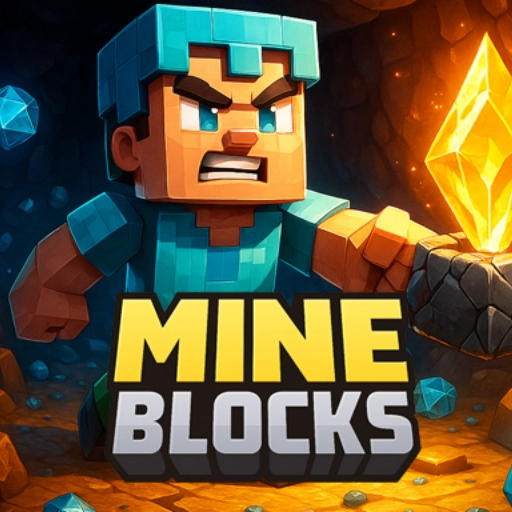

















Mine Blocks

Introduction to Mine Blocks
Prepare to dig deep into a vast, side-scrolling universe where your imagination is the only boundary! Mine Blocks is a phenomenal 2D sandbox adventure inspired by the legendary block-building universe of Minecraft. This browser classic translates the freedom, exploration, and infinite possibilities of 3D voxel spaces into a highly fluid, 2D platforming masterpiece. If you love arcade games that challenge your creativity, test your resource management, and reward tedious exploration, Mine Blocks is a brand-new chapter you need to experience.
In this endless adventure, you are dropped into a completely randomized world packed with diverse biomes, underground cave networks, and dangerous wildlife. Your journey begins with nothing but your bare hands, but it quickly transforms into an intricate “super struggle” to survive the night, gather valuable ores, and construct an automated kingdom. Whether you are settling in for a quick building “break” or planning an epic, multi-hour expedition to conquer the underworld, your survival depends entirely on your tactical ingenuity. Define your strategy, gather your tools, and start digging!
Gameplay Overview & Crafting Mechanics
Mine Blocks functions as a premier open-world simulation game of survival and architecture. It stands out in the hypercasual games community because of the sheer depth of its crafting grid, complex item configurations, and dynamic physics. The “way” you shape the world evolves as you progress from primitive tools to high-tech machinery:
- Resource Gathering: Punch trees, clear stone, and dig deep into cave systems to collect fundamental raw building blocks like wood, iron, and coal.
- The Crafting Grid: Open your inventory to access the interactive crafting menu. Arrange materials in specific spatial combinations to forge pickaxes, swords, torches, and storage containers.
- Advanced Metallurgy: Build a high-temperature furnace to smelt raw ore blocks into purified iron, gold, and diamond bars, which are vital for crafting top-tier armor sets and tools.
- Redstone Circuitry: Design complex automation systems, hidden doors, and mechanical traps using conductive Redstone wire and interactive logic switches.
Key Features
- Infinite Procedural Worlds: Every single world is procedurally generated with its own unique placement of mountains, deep oceans, hidden ruins, and deep cave systems.
- Dimensional Travel: Gather rare blocks to construct portals that transport you to the fiery underworld of the Nether or the void space of the End.
- Legendary Boss Fights: Track down and challenge massive end-game bosses, including the Wither and the formidable Ender Dragon.
- Day and Night Cycle: Enjoy a dynamic weather and daylight engine that brings out dangerous zombies, skeletons, and spiders when the sun sets.
- Fluid 2D Physics: Experience satisfying block destruction, water mechanics, and explosive blast radii that mirror the aesthetic of retro 3D games.
- Completely Free Web Access: Play seamlessly on desktop or Chromebook browsers unblocked with zero installation or space requirements.
Controls / How to Play
Mine Blocks offers an incredibly smooth, responsive layout that combines movement keys with precise mouse positioning, creating a perfect “friendly match” environment for casual creators and survival veterans alike:
- WASD / ARROW KEYS: Walk around, jump over terrain blocks, and navigate vertical ladders.
- MOUSE CLICK (Hold): Click and hold on adjacent blocks with your mouse cursor to break, mine, or harvest them using your currently equipped tool.
- SHIFT + CLICK: Hold down the Shift key while clicking on an empty grid tile to instantly place a block from your hotbar into the world.
- E KEY: Press E to pull open your inventory menu, access your crafting table, and review your current equipment slots.
Tips & Strategies for Sandbox Survival
To win the struggle against the monsters of the dark and establish an unbreachable home base, rushing forward unequipped will get you defeated. Use these professional survival strategies to conquer the elements:
- Secure Your First Shelter Immediately: As soon as you spawn into a new world, spend your first three minutes gathering wood and dirt. Before darkness rolls in, carve out a basic cave or shelter to protect yourself from nocturnal enemy spawns.
- Always Carry a Bucket of Water: A simple water bucket is the ultimate utility tool. Dropping water can neutralize dangerous underground lava pools, turn magma into harvestable obsidian, or create a safe waterfall elevator to navigate steep cliffs.
- Dig in a Staircase Pattern: Never mine straight down beneath your feet! Digging vertically increases the risk of dropping directly into a deep cave chasm, an underground lake, or a boiling pool of lava. Always chip away blocks in a gradual staircase design.
- Torches Prevent Monster Spawns: Monsters require complete darkness to spawn. Placing plenty of torches around your house, farm, and active mining tunnels will permanently secure the area and prevent unexpected ambushes.
As detailed in the cultural documentation of sandbox video games on Wikipedia, the lasting appeal comes from the dual nature of survival pressure and artistic expression—a delicate balance that Mine Blocks perfects in a 2D format.
Why You Should Play Mine Blocks
Mine Blocks is an incredible digital canvas that sharpens your creative problem-solving skills and planning logic. It belongs comfortably alongside the top titles in the puzzle games category due to its industrial Redstone logic gates, resource optimization puzzles, and geometric structural calculations. It provides a highly relaxing yet engaging outlet to build impressive fortresses, manage virtual farms, and test your reflexes against mythical creatures. Whether you are aiming to defeat the Ender Dragon or simply designing your dream pixel-art cottage, the journey is boundlessly rewarding.
Explore More Game Categories
Once you’ve cleared out your first mine shaft and upgraded your gear to diamonds, keep your momentum going across our diverse network of premium categories:
- Action Games – Step away from resource gathering and test your combat prowess in high-intensity battle zones.
- 2 Player Games – Grab a peer and engage in competitive, local split-screen showdowns.
- Multiplayer Games – Take your skills onto the global web and connect with survivalists worldwide.
- Racing Games – Trade your pickaxe for a high-performance steering wheel in fast highway tournaments.
- Adventure Games – Dive into vast story-driven journeys winding through uncharted fantasy lands.
- Cleaning Games – Destress and enjoy a peaceful, tidy-up session after clearing away messy cave blocks.
Conclusion
Mine Blocks beautifully condenses the absolute freedom of classic crafting sandboxes into an optimized, fast-paced 2D experience. By learning advanced crafting paths, protecting your base with bright lighting, and exploring magical dimensions safely, you can effortlessly conquer this blocky world. Remember to carve a shelter early, carry your water buckets everywhere, and never dig directly down! Grab your mouse and keyboard, define your path, and write your own survival story. Good luck! Have fun!
Frequently Asked Questions (FAQ)
How do I travel to the Nether dimension?
To enter the Nether, you must harvest Obsidian blocks using a Diamond Pickaxe, arrange them into a vertical rectangular frame portal layout, and ignite the interior using a Flint and Steel tool.
What is the most effective way to locate Diamonds?
Diamonds generate deep underground near the bedrock layers. Dig down carefully to the lowest levels of your world map and establish horizontal branch mines near the bottom of the map.
Can I play Mine Blocks unblocked on school Chromebooks?
Yes! This web sandbox is engineered using modern, highly optimized code, making it completely responsive and unblocked on most restrictive school or work networks without any file downloads.
How do I craft items in my inventory?
Open your inventory by pressing the E key, take raw resources, and arrange them in specific square grids to see available tools pop up on the right side of the menu.